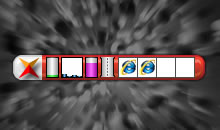
Xone Explore Bar Searching for a powerful, intuitive, and easy-to-use system performance monitoring tool can often feel like a daunting task—especially when relying on the default applications provided by Microsoft. These built-in tools might lack flexibility, and adding third-party software can sometimes lead to frustration due to cluttered interfaces or overwhelming options. Enter Xone Explore Bar, a sleek and innovative application designed to simplify the way you monitor your computer's performance and manage system processes. This all-in-one solution seamlessly combines real-time performance tracking with intuitive system management, providing a fast and user-friendly experience. With Xone Explore Bar, you can: Monitor performance in real-time: Gain instant insights into key system metrics such as CPU, memory usage, network activity, and more, all displayed in a visually appealing and organized layout. Simplify system management: Effortlessly view and control system processes from one central dashboard, eliminating the confusion of traditional tools. Optimize your workflow: The innovative and customizable layout ensures that critical information is always at your fingertips, enhancing productivity and system efficiency. Whether you’re a tech enthusiast, a professional managing complex workflows, or simply someone looking for a better way to understand and optimize your system, Xone Explore Bar offers an unparalleled solution. Its thoughtful design ensures ease of use, even for those new to performance monitoring, while its robust capabilities cater to the needs of advanced users. Give Xone Explore Bar a try and revolutionize the way you interact with your computer—where simplicity meets innovation in the most powerful way possible.
Basic features
System utility for real-time watching the current state of the system such as- CPU Usage
- Muti-Core Usage
- RAM Usage
- Network Traffic Speed
- Frequent Activities Process
Easy to use
Easy to use, does not require any operating system kernel knowledge.Diversification of items
You can change the displayed items, colors of items and background color on Option window.Change display style
You can change the font style of display information, font size and font color.Drag & Drop Support
Drag and Drop is a special features that lets you to drag and drop "Bar" to move it to a user specified location.Magnetic Bar
When you open up the function of the "Magnetic Bar" in "Option" window, it will be affixed to the currently active window in the upper right corner of the titelleiste so that important information will not be blocked, and you can find it in chaotic window!Minimize to system tray(Hide)
Also you can run startup programs hide to system tray, or as a floating icon.Management processes
When your system suddenly slows down, It allows you to view the frequent activities program, Besides that, it can quickly open the program directory or forced shutdown process.Auto check new version
If you find a new version will automatically notify and select whether you need to download.Supported OS
Program will work fine on Windows®2003, Vista, 7, 8, 10.No Sypware
100% Sypware FREE. This software does NOT contain any Spyware, Adware or Viruses.Edition Comparison
| Feature | Standard | |
|---|---|---|
| 32-bit versions | ||
| 64-bit versions | ||
| CPU Usage | ||
| Muti-Core Usage | ||
| RAM Usage | ||
| Network Traffic Speed | ||
| Frequent Activities Process | ||
| Display Activities Process Name | ||
| Magnetic Bar | ||
| Drag & Drop Supported | ||
| Minimize to system tray | ||
| Management Processes | ||
| Auto check new version | ||
| Options Changeable |
This is the page where you'll find a lot of All software screenshots in best quality.
Nothing.